WooCommerce Order Notifications Setup Guide
Connect your WordPress WooCommerce store with Notifico to receive instant order and inventory notifications - plus WordPress login, security, and plugin activity alerts from the same plugin.
Prerequisites
- WordPress site with WooCommerce installed
- Admin access to your WordPress dashboard
- Notifico app installed on your device
- Notifico WooCommerce plugin uploaded to WordPress. Here is the link: https://wordpress.org/plugins/notifico
Setup Steps
Create a WooCommerce Channel
Open the Notifico app and go to Create Channel screen. Select Channel Type as 'WooCommerce' and enter your store details.

Copy API URL and Token or Scan QR Code in WooCommerce Plugin
Navigate into your newly created channel. Copy both the API URL and the API Token or scan the QR code displayed in the WooCommerce Plugin for automatic configuration.

Find the Notifico Settings
Download the Notifico WooCommerce plugin from above link and upload it to your WordPress store. Then, on Sidebar you will see the Notifico WooCommerce plugin. Click on it to access the settings.

Configure API Credentials
Scan the QR code or copy the API URL and API Token from the Notifico App and add them to your API URL and API Token fields. Make sure to save the settings after entering the credentials.


Start Receiving Notifications
You're all set! Start buying products and managing orders on your WooCommerce store. All activity alerts will appear in the Notifico app under your specific channel.
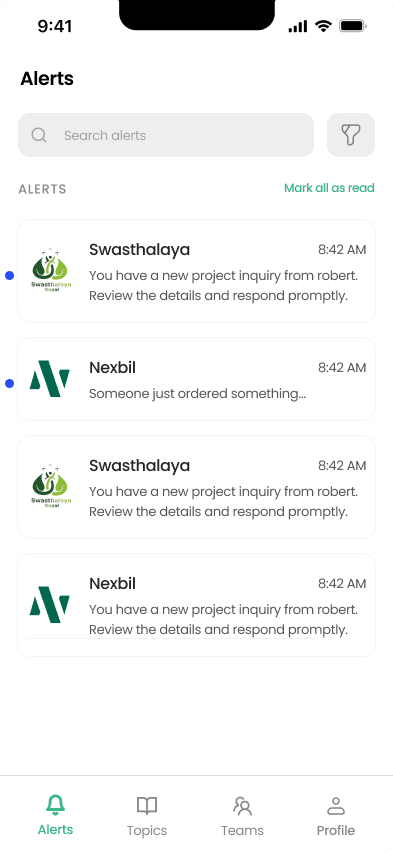
More than orders: WordPress security alerts
The same plugin that sends WooCommerce order notifications also watches your WordPress site itself. Once it's installed, your channel starts receiving alerts for:
- Successful logins to your WordPress admin
- Failed login attempts
- Password changes
- Plugin and theme activity
These alerts work on any WordPress site - you don't need WooCommerce installed to get them.
💡 Pro Tips
- • Ensure your WordPress site has SSL (HTTPS) enabled for secure API communication
- • Test with a small order first to verify the connection works
- • Keep your WooCommerce and WordPress versions up to date
Questions
- Does my WordPress site need HTTPS?
- Yes - SSL must be enabled for secure API communication between your site and Notifico.
- Do I need WooCommerce to get the security alerts?
- No. Login, failed login, password, and plugin/theme alerts work on any WordPress site. WooCommerce is only required for order alerts.